
2026 Comparison
8 Best TinEye Alternatives
Most people who look for a TinEye alternative hit the same wall. They uploaded a photo of a person, got nothing back, and assumed the tool was broken. It is not broken. TinEye matches photos, not the people in them.
By the Facial Recognition TeamLast updated

If TinEye found nothing, search the face
Upload your photo
Your photo is never published or shared, and is deleted within 24 hours.
By searching you agree to our Terms and Privacy Policy.
Our bias, stated plainly
Facial Recognition publishes this guide and ranks its own app first. Everything below position one is ranked on the criteria in how we evaluated. Every entry carries the same columns and the same caveats, including ours. We take no affiliate commission from any tool listed.
In this guide
- 1.Why people look for alternatives
- 2.What TinEye does well
- 3.Why this guide ranks tools our other guides exclude
- 4.How we evaluated
- 5.Facial Recognition
- 6.Google Images and Lens
- 7.Yandex Images
- 8.Pic Detective
- 9.Bing Visual Search
- 10.Also worth knowing
- 11.At a glance comparison
- 12.Migration and switching costs
- 13.When to stay on TinEye
- 14.Match the tool to the job
- 15.How to choose
- 16.TinEye alternative FAQ
Key Takeaways
- •TinEye finds exact and altered copies of a photo, including cropped, resized and heavily edited versions.
- •It does not do facial recognition, and its support documentation states this directly.
- •Free non-commercial use allows 100 searches a day and 300 a week.
- •Six of the eight alternatives below are free to use.
- •If TinEye returned nothing for a photo of a person, no reverse image tool will fix that. You need face search.
Why People Look for TinEye Alternatives
These reasons come from TinEye's own documentation.
It cannot identify a person
TinEye's support site answers this directly under "Can TinEye find this person for me?". It recognises particular photos, not the faces inside them. Even when it finds the photo, it has no name attached. All it can report is where on the web that file appeared.
It rarely returns similar images
TinEye matches copies. It does not commonly return visually similar matches, and it does not interpret what an image contains. A different photo of the same subject is a different image to TinEye.
Free use is capped
Free non-commercial use is limited to 100 searches a day and 300 a week. Shared or dynamic IP addresses hit that cap sooner, and a CAPTCHA appears. Commercial and high-volume use runs through paid API products instead.
Coverage gaps on newer and social content
Many social platforms restrict indexing, so photos that live only on social profiles are often missing. That is the same content most people are trying to trace.
What TinEye Does Well
It would be easy to write this page as a hit piece. That would be inaccurate and you would spot it.
TinEye is the most precise tool here for what it actually does. It builds a fingerprint of the image rather than guessing at visual similarity, so its matches are matches. It handles copies that have been cropped, colour adjusted, resized, heavily edited or slightly rotated.
It sorts results by oldest, which is the fastest way to find the earliest copy TinEye crawled. That is not the date the photo first appeared online, and TinEye says so. Still, no general image engine on this list offers that sort. It runs without ads, without an account, and it has been doing this since 2008. For photographers tracing stolen work and for journalists checking provenance, it remains the right first stop.
Why This Guide Ranks Tools Our Other Guides Exclude
Worth addressing openly, because it looks like a contradiction.
On our FaceCheck ID alternatives and PimEyes alternatives guides, we name TinEye and Google Lens as out of scope. Neither is ranked there. Here we rank them near the top. Both positions are correct, because the two guides answer different questions.
Those guides are about face search: finding a person across different photos. TinEye and Google are not face search engines, so listing them there would mislead. This guide is about reverse image search, which is what TinEye is. Here those tools belong, and face search apps are the ones that need justifying.
TinEye's support documentation states that it "cannot find different images featuring the same people or objects".
TinEye help centre, "Can TinEye find similar images? Does TinEye do facial recognition?", read 17 September 2026.
So the distinction is not our marketing line. It is TinEye's own position, and it is the reason this page is split the way it is.
How We Evaluated
Consumer tools you can use from a browser or a phone with one photo. Four questions, in the order they actually matter.
Finding where a specific photo has been published
This is TinEye's actual job. A replacement has to show you pages where that file, or a close copy of it, appears.
Finding the original or oldest copy
TinEye can sort results by oldest crawled copy. Its own help centre is clear that this is the date TinEye first found the image, not the date it first appeared on the web. Still, nothing else here offers that sort.
Finding visually similar images
TinEye rarely returns these. General engines that match visual similarity close a gap TinEye documents.
Identifying the person in the photo
TinEye cannot do this, and it says so twice in its support documentation. Order below position one is weighted toward closing that gap, because it is the most common reason people go looking. If you are searching for a product, a meme, an artwork or a landmark, the general image engines below are the better fit, and we say so on each card.
Five TinEye Alternatives, Ranked
Ranked by how completely each tool closes the gaps TinEye documents, weighted toward identifying a person.
Facial Recognition
Our PickThe search TinEye cannot run, which is identifying a person
Our own face search. It compares facial geometry rather than image fingerprints, so it finds a person in photos they have never posted before, at different angles and in different lighting. It runs on the web and on Android, and it holds 4.2 stars from over 4,000 reviews. If you ran a profile photo through TinEye, got zero results, and still do not know who the person is, run a face search. Our guides on verifying a profile photo and finding social media by face cover what to do next.
What it replaces
- ✓Finds the same person across different photos, which TinEye does not attempt
- ✓Weights Instagram, TikTok, Facebook, X, LinkedIn and YouTube
- ✓Up to 100 matches, ranked by confidence, each linking to its source page
- ✓Billed by card or Google Play, cancellable like any app subscription
What to check first
- ✕This is not a reverse image search tool. If you want to know where one specific photo was republished, TinEye or Google does that better, and free
- ✕No free search tier
- ✕Does not replace exact-copy tracing, sort by oldest, copyright provenance work, or searching for objects and products
Google Images and Lens
Free general visual search across the largest index available
Google is the most complete free replacement for TinEye's core job, and the most overlooked. Where TinEye matches fingerprints, Google matches visual similarity, so it surfaces related images TinEye ignores. Lens does the same thing from a phone camera. It is not a face search engine.
What it replaces
- ✓Free, unlimited, no account required
- ✓Handles cropped, resized, compressed and edited images
- ✓Strong on products, landmarks, artwork, screenshots and memes
- ✓Available in the browser and through Lens on a phone
What to check first
- ✕Google limits results for photos of people by design. It often returns lookalikes rather than the exact image
- ✕No sort by oldest
- ✕Not fingerprint-level precision, and not face identification
Yandex Images
Free visual matching that gets closer to faces than Google or Bing
Yandex is widely regarded as the strongest free engine for photos of people. It returns visually similar faces more readily than Google. It also indexes Eastern European and Russian-language sources that others cover thinly. It still matches visual similarity, not facial geometry.
What it replaces
- ✓Free, unlimited, no account required
- ✓Better at surfacing similar faces than other general engines
- ✓Strong coverage of regional and non-Western sites
- ✓Useful crop tool for isolating part of an image
What to check first
- ✕Uploads go to Russian servers. That is a reasonable trade for a meme or a product, and a poor one for anything sensitive or personal
- ✕Does not replace a dedicated face search engine
- ✕Web only, with no app of its own
Pic Detective
Free source tracking across blogs and publicly indexed pages
Pic Detective is a free reverse image search built around finding where a picture came from. It returns similar images rather than copies alone, and it needs no account. Its index is smaller than Google's, so treat it as a second pass rather than a replacement for a major engine.
What it replaces
- ✓Free with no account or setup required
- ✓Surfaces similar images as well as copies
- ✓Filters by size and website to narrow large result sets
- ✓Useful as a second opinion alongside TinEye or Google
What to check first
- ✕Weaker on heavily edited and cropped images, which is exactly where TinEye is strongest
- ✕Smaller index than Google or Bing
- ✕Does not identify a person by face
Bing Visual Search
Products, stock photography and mainstream published content
Bing is the quiet third option and occasionally returns matches Google and TinEye both miss. It is strongest on commercial and mainstream content, and it costs nothing to try as a second opinion.
What it replaces
- ✓Free, unlimited, no account required
- ✓Upload a file or paste an image URL
- ✓Reliable on products, stock images and public figures
- ✓Full source access with every result
What to check first
- ✕Like Google, it fixates on clothing, colour and background rather than your subject
- ✕Does not identify a person by face
- ✕No provenance sort by oldest
Also Worth Knowing
Three dedicated face search tools. They belong here only if your TinEye search failed because the photo showed a person.
ProFaceFinder
Paid face search with no account and no subscription. Useful when you want one answer and nothing ongoing. Its own pages disagree on how many searches the larger pack contains, so read the live pricing page before buying.
FaceSeek
Free daily face searches with no signup. A standard search returns matches with the URLs masked, and seeing the source needs a premium search. Its stated policy is that a premium search only spends tokens when it finds something.
FaceOnLive
The consumer face search page offers free unlimited basic search with no account. The search widget is FaceSeek embedded in the page, so this is not a second engine. The free tier withholds social results and full source URLs, and token pack pricing is not publicly listed.
TinEye Alternatives at a Glance
TinEye on the top row as the baseline, then every alternative in ranked order.
| Tool | Best for | Free tier | Payment | Same person, different photo | Migration |
|---|---|---|---|---|---|
| TinEyeCurrent tool | Tracing where an exact photo was published | 100 searches a day, 300 a week | Free for non-commercial use | No | Baseline |
| Facial Recognition | Identifying a person from a photo | No | Card or Google Play | Yes | Low. Nothing to export |
| Google Images and Lens | General visual search, products, places, objects | Free and unlimited | Free | No | None. Open and search |
| Yandex Images | Lookalikes and Eastern European sources | Free and unlimited | Free | Somewhat | None. Open and search |
| Pic Detective | Free source tracking on indexed pages | Free | Free | No | None. No account needed |
| Bing Visual Search | Products, stock images and mainstream content | Free and unlimited | Free | No | None. Open and search |
| ProFaceFinder | One-off paid face search with no account | No | Card, one-time packs | Yes | Low. No account needed |
| FaceSeek | A free face check before paying anything | Free daily searches | Card tokens | Yes | Low. No account to search |
| FaceOnLive | Unlimited free basic face search | Free and unlimited | One-time tokens, not publicly listed | On premium only | Low. No account needed |
Capabilities, free tiers and payment models verified September 2026 against each provider's own pages.
Migration and Switching Costs
The shortest section in any of our guides, because there is almost nothing to it.
There is nothing to cancel
TinEye's public search is free for non-commercial use. No subscription, no billing, no account to close.
There is no data to export
TinEye stores searches, not a library you built.
You do not have to choose
Every free tool on this list can sit alongside TinEye. Running the same photo through two engines is the single most effective habit here.
The exception is the API
If you run TinEye's commercial API, MatchEngine or MobileEngine, nothing in this guide replaces those. They are developer products.
Realistic effort: none for the free tools. Under five minutes for the paid ones.
When to Stay on TinEye
You are tracing stolen photography. Fingerprint matching beats visual similarity when you need to prove a specific file was reused. TinEye is the more precise instrument.
You need the oldest crawled copy. Sort by oldest is genuinely useful and genuinely rare. Nothing else here offers it. TinEye's help centre is also clear that this is the crawl date, not the date the photo first appeared.
The image is heavily edited. TinEye is built to match copies that have been cropped, recoloured, resized or rotated. General engines lose the thread sooner.
Match the Tool to the Job
One question sorts this page: are you chasing a picture, or a person?
TinEye found nothing, and it is a person
Facial Recognition
The only category here that finds a person in photos they never posted. Our own app.
Tracing a picture with no account
Google Images and Lens
Largest free index, no account, handles almost every image type. Start here before paying for anything.
Photos of people, still reverse image search
Yandex Images
Closer on photos of people than Google or Bing. Watch where your upload goes.
Stolen photography or the oldest crawled copy
Stay on TinEye
Fingerprint matching and sort by oldest are the features nothing else here replaces.
How to Choose
Decide what you are actually chasing. A picture or a person. That single question sorts every tool on this page into the right half.
Exhaust the free options first. Six of the eight cost nothing. Run the same photo through Google, Yandex and Pic Detective before considering a paid tool.
Crop to the subject. General engines fixate on clothing, colour and background. Cropping tightly changes results more than switching tools does.
Do not expect a name. Even a successful match tells you where a photo appeared. The page it came from is where the answer usually lives.
Treat every match as a lead. Unrelated people look alike, and visual similarity is not identity. See our guides on image search techniques and removing photos from the internet.
How Our TinEye Alternative Works
Upload a face pic

Search over a billion faces
Open the pages behind your matches
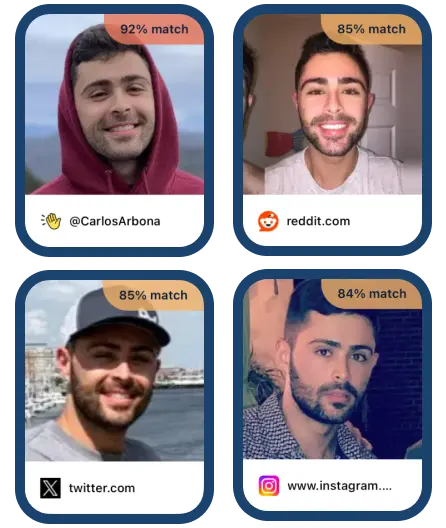
TinEye Found Nothing? It Might Be the Wrong Tool
If the photo shows a person, search the face instead of the file. Web and Android.
Users Who Needed More Than Reverse Image Search
TinEye Alternative FAQ
What is the best TinEye alternative?
It depends on the job. If you are trying to identify a person rather than trace a picture, Facial Recognition. If you are tracing a picture, Google Images is free and covers the largest index. TinEye remains the more precise tool for exact copies and for sorting by oldest crawled result.
Is TinEye free?
Yes, for non-commercial use. Its support site states a limit of 100 searches a day and 300 a week. Shared or dynamic IP addresses can hit that cap sooner. Commercial and high-volume use runs through paid API products.
Does TinEye do facial recognition?
No. TinEye's support documentation says it cannot recognise the contents of an image. So it cannot find different images featuring the same people or objects. It has never offered facial recognition.
Can TinEye find a person from a photo?
Not by face. TinEye can find that specific photo elsewhere on the web, but it does not attach a name to it. Its own help centre says the page the image came from may tell you more.
Why does TinEye find nothing for my photo?
Usually because the exact file is not indexed. TinEye matches copies rather than subjects, so a different photo of the same person returns nothing. Many social platforms also restrict indexing, so photos that live only on social profiles are often missing.
What is the difference between reverse image search and face search?
Reverse image search asks where this picture has appeared. Face search asks where this person has appeared. The first matches the file. The second matches facial geometry, so it works on photos the person never posted.
Is there a free TinEye alternative?
Several. Google Images, Google Lens, Yandex Images, Bing Visual Search and Pic Detective are all free with no account. FaceSeek and FaceOnLive offer free face searches, though both restrict source links on the free tier, and FaceOnLive's consumer page embeds FaceSeek.
Is Google reverse image search better than TinEye?
For finding exact copies, TinEye is more precise and offers sort by oldest. For breadth and for visually similar results, Google's index is far larger. Neither does facial recognition, so for people they are both limited.
Does TinEye work with screenshots and cropped images?
Yes. TinEye states that it finds exact and altered copies. That includes images cropped, colour adjusted, resized, heavily edited or slightly rotated. Heavier modification reduces match quality.
What is the best reverse image search app for a phone?
Google Lens is the most capable free reverse image option and is built into Android and into the Google app on iPhone. For identifying a person rather than an object, Facial Recognition runs as an Android app and in any browser.
Which TinEye alternative is best for finding stolen photos?
TinEye itself is usually the right tool for that job, because fingerprint matching proves a specific file was reused. Add Google Images and Pic Detective for breadth, since neither is limited to exact copies.
Can I remove my image from TinEye?
TinEye documents a removal process in its help centre under "How can I remove my image from TinEye?". Removal from TinEye's index does not remove the image from the sites hosting it, which has to be handled separately.
Are FaceOnLive and FaceSeek different tools?
No. FaceOnLive's consumer face search page embeds the FaceSeek search widget, so they are the same search under two brand names. FaceOnLive's actual business is selling on-premises biometric recognition SDKs to developers.
Related guides: image search techniques that actually change your results, how to find social media accounts from a photo, PimEyes alternatives, compared, and FaceCheck ID alternatives, compared.
Facial Recognition publishes this guide and ranks its own app first, as disclosed above. TinEye's capabilities and limits come from its own support articles, last checked in September 2026, and may have changed since. Face and image search results are leads, not proof of identity. Unrelated people look alike. Do not use face search to harass anyone. Do not use results for employment, credit, insurance or tenancy decisions.